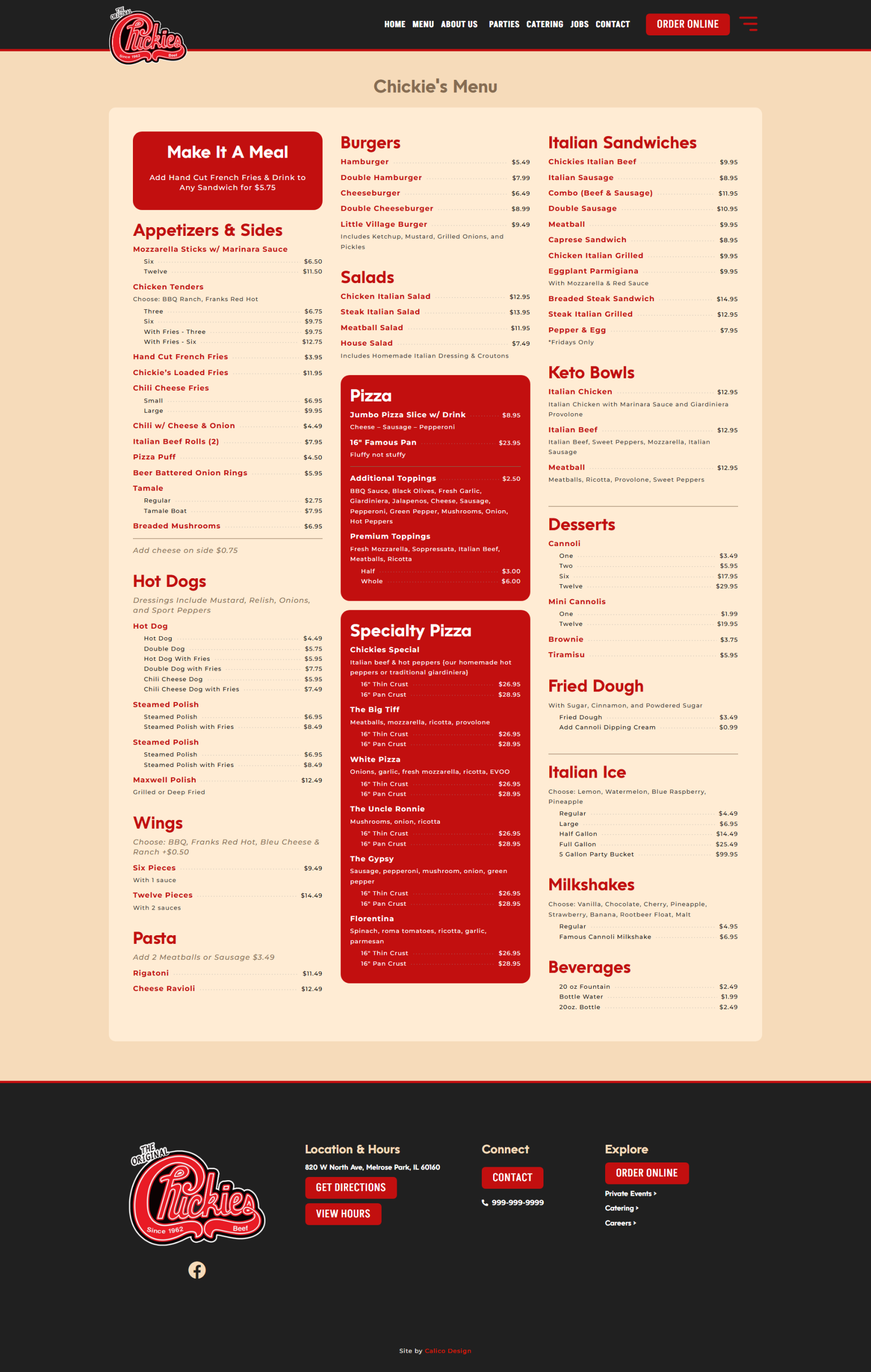
Building a restaurant website in Elementor is usually pretty straightforward — until you get to the menu.
A simple menu with an item name, description, and price isn’t difficult. But real restaurant menus aren’t always that simple. You start dealing with different sizes, multiple prices, toppings, add-ons, section notes, special instructions, and menu items that simply don’t fit neatly into the same layout.
We run into this all the time while building restaurant websites at Calico Design, so we built our own solution: Calico Restaurant Menu Builder for Elementor.
It’s a free WordPress plugin designed to make it easier to build clean, responsive restaurant menus directly inside Elementor.
Why We Built a Restaurant Menu Plugin for Elementor
One of the challenges with restaurant web design is that there isn’t always a nice digital menu waiting for you.
Fast-casual restaurants in particular may have digital menu boards hanging above the counter, printed signage, or several different sources containing their menu information. When it’s time to build the website, somebody still has to turn all of that information into a menu that works online.
You can certainly build one manually with Elementor text widgets or custom HTML. We’ve done it plenty of times. The problem is that complicated menus can quickly become tedious to build, difficult to keep consistent, and even harder to make responsive.
We wanted something specifically designed for this job.
What Does Calico Restaurant Menu Builder for Elementor Do?
The plugin adds a purpose-built restaurant menu system to Elementor so you can construct a menu using different types of rows instead of manually formatting everything yourself.
Depending on the menu you’re building, you can use:
- Section Headings for categories such as Pizza, Burgers, Pasta, Appetizers, Drinks, and Desserts.
- Menu Items with an item name, price, and description.
- Multiple-Price Items for menu items available in different sizes or variations.
- Menu Notes for toppings, preparation options, upcharges, add-ons, or information that applies to a group of items.
- Dividers for visually separating different portions of the menu.
This gives you enough flexibility to handle both simple menus and some of the strange pricing and formatting situations that tend to appear on real restaurant menus.
Style Your Restaurant Menu Inside Elementor
We didn’t want the plugin to force every restaurant into the same design.
The menu includes Elementor styling controls so designers can customize the appearance to fit the website they’re building.
You can control the styling of elements such as section headings, menu item names, descriptions, prices, multiple prices, typography, colors, spacing, and the visual details between menu items and their prices.
The result is a structured restaurant menu without giving up the design flexibility that makes Elementor useful in the first place.
Built With Responsive Restaurant Menus in Mind
A restaurant menu has to work on a phone.
Customers may be checking a menu while deciding where to eat, sitting in the restaurant, ordering takeout, or looking up an item from their car. A desktop-only menu isn’t particularly useful in those situations.
The plugin is designed to let menu items, descriptions, prices, and multiple-price layouts adapt as the available screen space becomes smaller.
You can then use Elementor’s responsive controls to fine-tune typography and sizing for unusually long menu items or unique layouts.
Who Is This Elementor Restaurant Menu Plugin For?
It’s especially useful for:
- Freelance WordPress developers
- Web design agencies
- Elementor designers
- Restaurant website developers
- Fast-casual restaurants
- Pizzerias, burger joints, cafés, bars, and breweries
- Restaurants with complicated pricing, sizes, toppings, or add-ons
- Restaurants without an existing digital menu
If you’ve ever been handed a complicated restaurant menu and wondered how you’re going to make all of it line up properly in Elementor, this plugin was built for exactly that situation.
Download the Free Elementor Restaurant Menu Plugin
Calico Restaurant Menu Builder for Elementor is available as a free download from Calico Design.
You can install it on your WordPress website, add the restaurant menu widget in Elementor, start entering your menu content, and style it to match the rest of your website.
Download Calico Restaurant Menu Builder for Elementor
As with any WordPress plugin, we recommend backing up your website before installation and testing the plugin with your particular WordPress, Elementor, theme, and hosting configuration. The plugin is provided as-is, and downloading, installing, and using it is done at your own risk.
Restaurant Menus Are Complicated. Building Them in Elementor Shouldn’t Be.
This plugin came out of a problem we encountered while building real restaurant websites. Instead of continuing to manually recreate complicated menus every time we encountered one, we built a tool specifically for the job.
Hopefully it saves some other WordPress developers and Elementor designers a little time too.